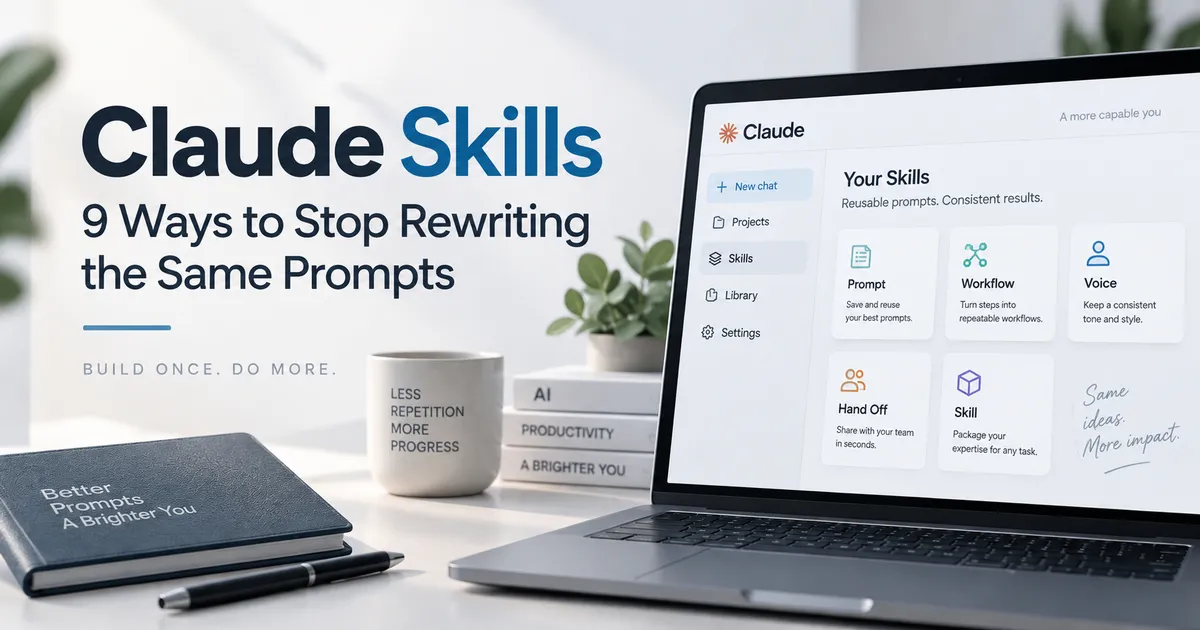
You do not need to write a long, detailed prompt every time you use Claude.
If you keep explaining the same role, rules, writing style, workflow, and output format in every new conversation, Claude Skills can turn those repeated instructions into reusable workflows.
Instead of rebuilding the same prompt from scratch, you can teach Claude how you want a specific task done once and reuse that process across future conversations.
That is what makes Claude Skills different from ordinary prompts.
In this guide, I will explain what Claude Skills are, show you nine useful community-created Skills, and explain how to combine them into practical workflows.
Important: The nine Skills in this article are community-created examples. They are not an official list of Skills provided by Anthropic.
What Are Claude Skills?
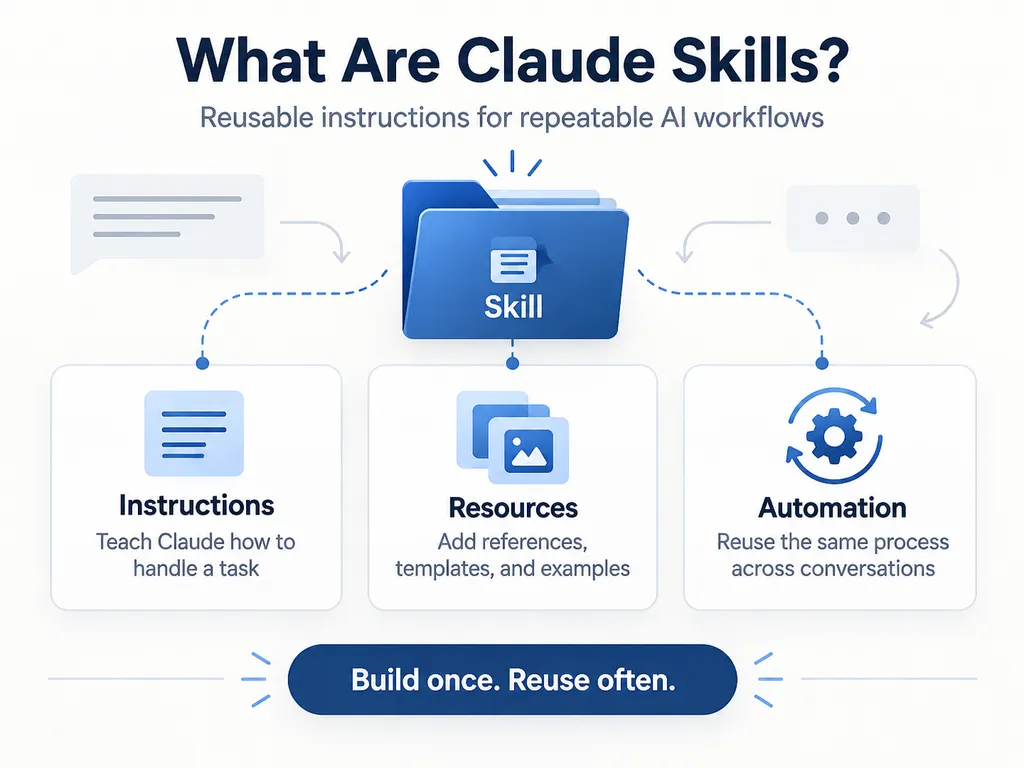
Claude Skills are reusable packages of instructions, resources, and optional scripts that teach Claude how to handle a specific type of task.
A basic Skill can contain nothing more than a SKILL.md file.
More advanced Skills can also include:
- Step-by-step instructions
- Reference documents
- Templates
- Examples
- Scripts
- Output formats
- Supporting files
Claude does not need to load every Skill into every conversation.
Instead, Claude can identify a relevant Skill from its name and description, then load its instructions when the task requires it. Anthropic calls this approach progressive disclosure, which helps keep unnecessary information out of the active context window.
Think of a Skill as a reusable operating manual for Claude.
A prompt tells Claude:
“Do this task this way.”
A Skill tells Claude:
“Whenever I ask for this type of task, this is how I want you to do it.”
That difference becomes important when you use AI for repetitive work.
Claude Skills vs. Regular Prompts
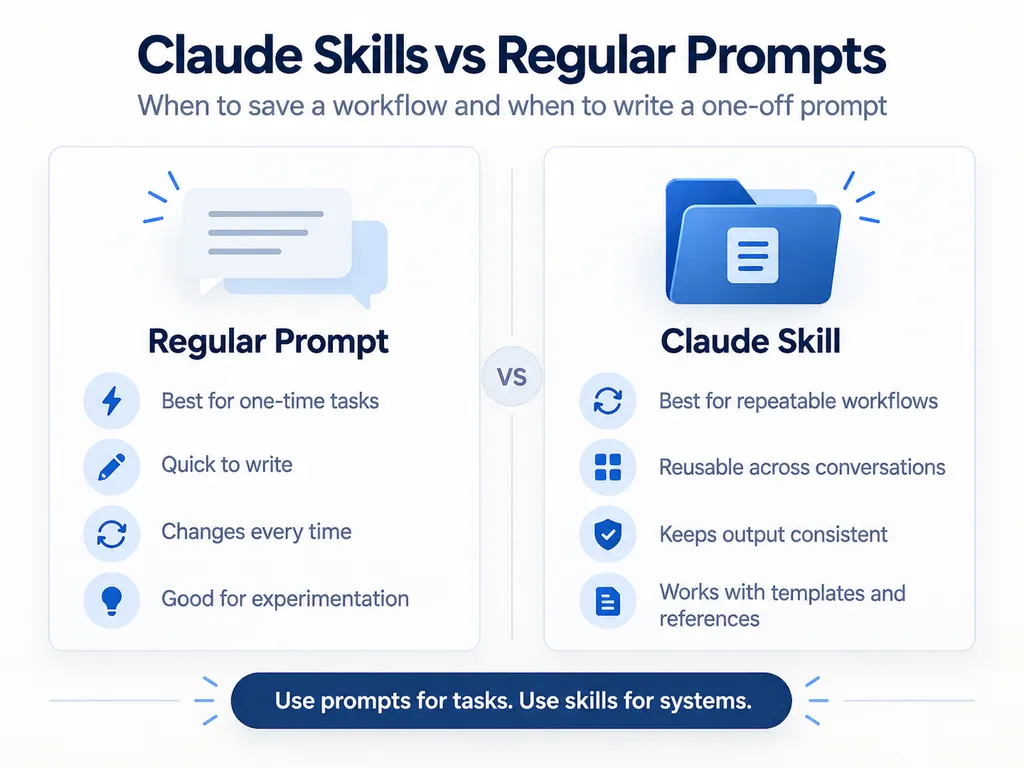
Regular prompts still make sense for one-off tasks.
If you only need Claude to summarize one article or rewrite one email, creating an entire Skill would be unnecessary.
Skills become useful when you repeatedly give Claude instructions such as:
- Use this writing style
- Follow these steps
- Ask me these questions first
- Check these requirements before starting
- Always return the answer in this format
- Use these reference documents
- Follow our company’s process
- Run these checks before finishing
Instead of copying a 1,000-word prompt into every conversation, you can package that workflow into a Skill.
Anthropic specifically positions Skills as reusable workflows that Claude can apply across conversations rather than instructions you need to repeatedly paste into a chat.
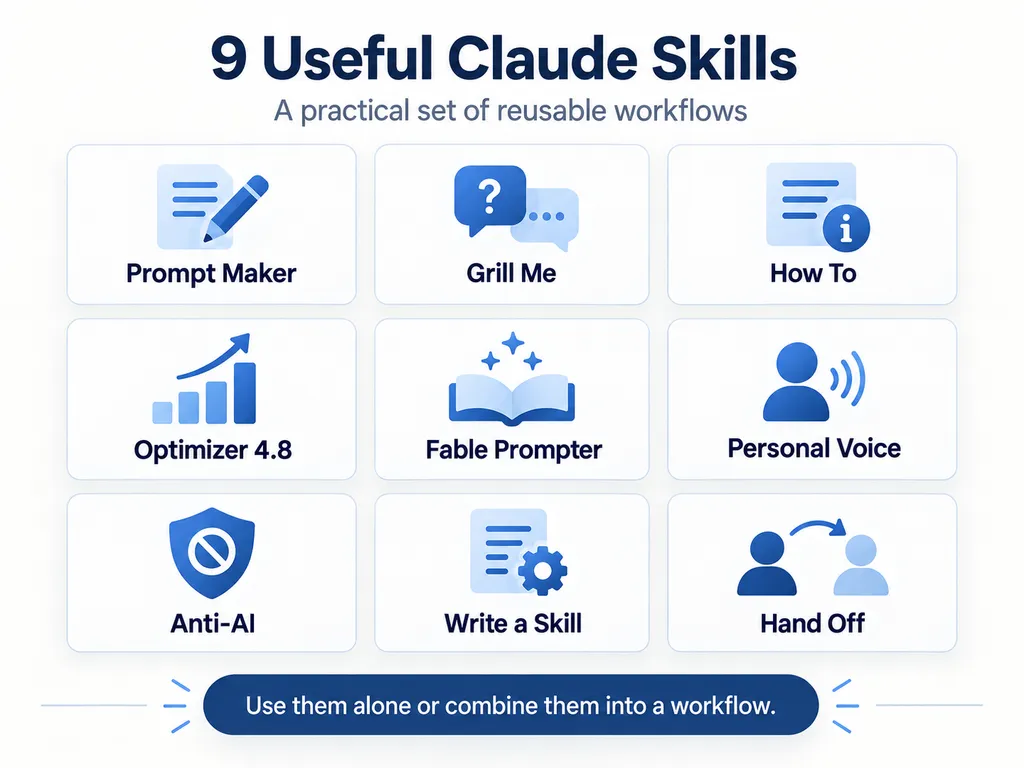
9 Useful Claude Skills for Better Prompts and Workflows
The following Skills can be used separately.
But they become more useful when you combine them into a workflow—from turning a rough idea into clear requirements to saving the finished process for future use.
1. Prompt Maker /prompt-master
Prompt Maker turns an unstructured idea into a usable prompt.
You do not need to organize your thoughts before starting.
For example, you could write:
I’m planning a three-day trip to San Diego with my parents. We don’t want to walk too much. I’d like to include a good seafood restaurant, and the total budget is around $1,500.
Prompt Maker can reorganize that information into a structured request containing:
- Destination
- Travelers
- Trip length
- Mobility requirements
- Food preferences
- Budget
- Expected output
This is especially useful when you know what you want but do not know how to turn it into a detailed AI prompt.
Instead of spending ten minutes engineering the perfect prompt, start with the idea.
Let the Skill structure it.
2. Grill Me /grill-me
One of the biggest problems with AI prompts is missing information.
If your instructions are vague, Claude has to either ask questions or make assumptions.
Grill Me is designed to find those missing requirements before the actual work begins.
Suppose you say:
I want to build an online store.
That sounds clear until you start asking questions.
What are you selling?
Do customers need accounts?
Which payment methods should the site support?
How many products will you have?
Do you need subscriptions?
What pages are required?
What is your budget?
When does it need to launch?
Grill Me keeps asking relevant questions until the task is defined well enough to execute.
This is particularly useful for:
- Website projects
- Software development
- Business planning
- Marketing campaigns
- Product launches
- Research
- Client work
The more expensive a mistake would be, the more valuable this kind of requirement gathering becomes.
3. How To /how-to
Sometimes you know what needs to be done.
You just do not know where to start.
How To converts a goal into an actionable sequence.
For example:
I need to move everything from my old laptop to a new computer.
Instead of giving you a long general explanation, the Skill can break the job into steps such as:
- Identify the files and applications that need to be transferred.
- Back up important data.
- Choose cloud storage or an external drive.
- Transfer the files.
- Reinstall required applications.
- Verify that nothing is missing.
- Decide whether the old computer can safely be reset.
This type of Skill is useful whenever a task feels difficult because it contains too many moving parts.
You do not necessarily need more information.
You need a sequence.
4. Optimizer 4.8 /48
Optimizer 4.8 was created to improve prompts specifically for Claude Opus 4.8.
It can review an existing prompt and look for problems such as:
- Ambiguous goals
- Missing constraints
- Repeated instructions
- Weak verification requirements
- Unclear output formats
- Missing progress-reporting instructions
There is one important issue to understand before using this Skill today.
Claude Opus 4.8 is now a legacy model.
Anthropic currently recommends newer models such as Claude Opus 5.5, while Claude Fable 5.1 is also part of the current model lineup.
That means model-specific prompt optimizers can become outdated.
If you use /48 or any similar optimization Skill, check when it was last updated and which Claude model it was designed for.
A Skill written for an older model may still work, but its recommendations may no longer reflect how newer models behave.
5. Fable Prompter /fable
Fable Prompter is designed to restructure instructions for Claude Fable.
Fable is intended for demanding reasoning and long-horizon agentic work, including tasks that require multiple steps, tool use, large amounts of context, and extended execution. Anthropic has since introduced Claude Fable 5.1, so model-specific Skills should again be checked for compatibility with the current release.
This type of Skill makes the most sense for complex work such as:
- Comparing many documents
- Conducting deep research
- Planning large projects
- Working across multiple files
- Performing long-running agent tasks
- Solving complicated technical problems
You probably do not need a specialized Fable prompt optimizer to fix a sentence or summarize a short article.
Match the model and workflow to the difficulty of the task.
6. Personal Voice /personal-voice
“Make this sound natural” is not a writing style.
It is too vague.
Natural writing means different things to different people.
Personal Voice solves that problem by defining how you actually want Claude to write.
For example, your Skill could specify:
- Keep sentences short.
- Use plain English.
- Lead with the answer.
- Avoid exaggerated claims.
- Explain technical terms.
- Do not use unnecessary emojis.
- Avoid generic introductions.
- Do not repeat the same point.
- Prefer active voice.
- Match my existing examples.
You can also include examples of writing you like.
This matters because examples often communicate style more effectively than abstract instructions such as “professional but friendly.”
Once your preferences are stored in a Skill, you do not have to explain them again every time you open a new conversation.
This can be especially useful for:
- Blog posts
- Newsletters
- Social media content
- Sales copy
- Customer support
- Internal reports
- Personal branding
7. Anti-AI /anti-ai
AI-generated writing often has recognizable patterns.
The problem is not simply that an AI wrote it.
The problem is that mediocre AI writing tends to repeat the same habits:
- Long introductions that say very little
- Repeating the same idea in different words
- Excessive transitions
- Generic conclusions
- Empty emphasis
- Predictable paragraph structures
- Unnecessary summaries
- Overly polished corporate language
Anti-AI is designed to detect and reduce those patterns.
But there is an important limitation.
Running an “AI humanizer” does not automatically make weak content good.
If the article contains no original examples, facts, judgment, experience, or useful analysis, changing a few phrases will not fix the underlying problem.
Use this type of Skill as an editor.
Do not use it as a substitute for having something worth saying.
8. Write a Skill /write-a-skill
This may be the most important Skill on the list.
Write a Skill takes a workflow you already use and converts it into a reusable Claude Skill.
Suppose you repeatedly ask Claude to:
- Format meeting notes in the same structure
- Compare products using the same criteria
- Categorize customer support requests
- Review specific clauses in contracts
- Create weekly reports
- Write articles using your editorial rules
- Check code using your development checklist
If you find yourself explaining the same process again and again, that process is a good candidate for a Skill.
A custom Claude Skill requires a SKILL.md file with metadata describing what the Skill does and when Claude should use it. Additional references, scripts, and resources can be included when necessary.
Anthropic’s own guidance recommends keeping Skills focused on specific, repeatable workflows rather than trying to build one giant Skill that does everything.
A useful rule is simple:
If you have explained the same workflow to Claude several times, consider turning it into a Skill.
9. Hand Off /handoff
Long AI projects create another problem.
Eventually, the conversation becomes huge.
Or you need to open a new chat.
Then you have to explain everything again.
Hand Off solves that by creating a structured document describing the current state of the project.
A useful handoff can include:
- Project goal
- Important decisions
- Completed work
- Remaining tasks
- Rules that must be followed
- Files currently being used
- Known problems
- Next steps
You can then bring that document into a new conversation and continue from a much cleaner starting point.
This is especially useful for:
- Software projects
- Research
- Content production
- Website development
- Business planning
- Multi-day AI projects
It does not give Claude magical memory.
It gives the next conversation a well-organized briefing.
That is often more reliable.
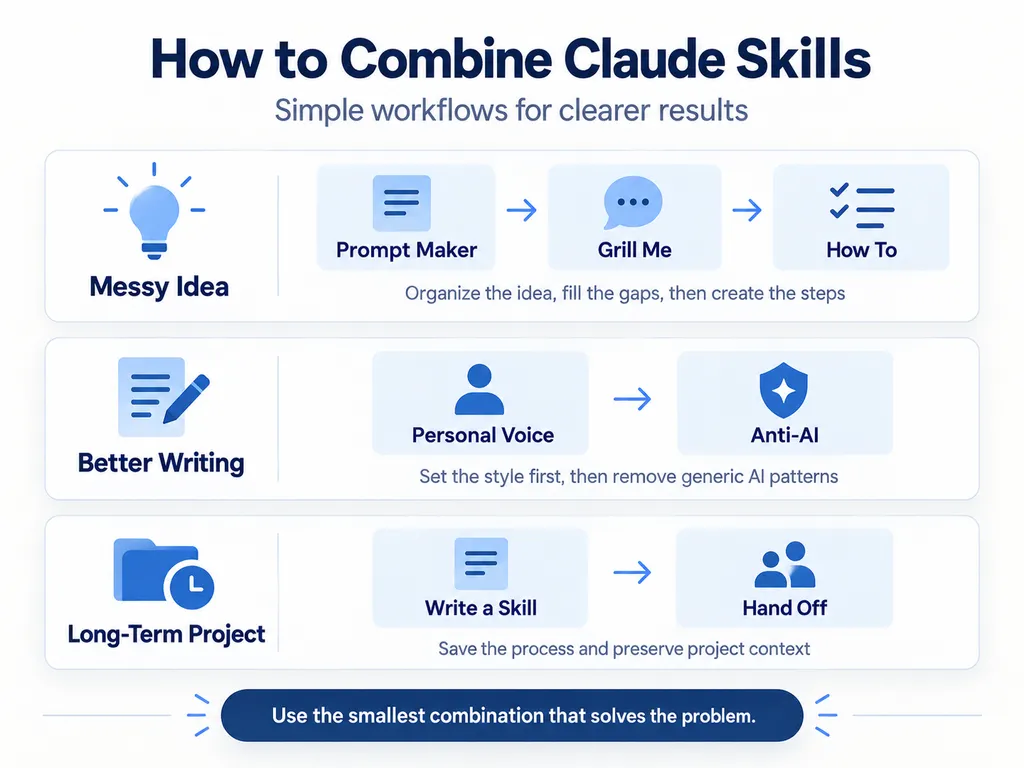
How to Combine Claude Skills
You do not need to activate every Skill for every task.
Use the smallest combination that solves the problem.
When Your Idea Is Still Messy
Use:
Prompt Maker → Grill Me → How To
First, turn the idea into a structured request.
Then identify missing requirements.
Finally, convert the finished requirements into an execution plan.
This works well for projects where you know the goal but have not defined the details.
When Your Writing Sounds Too Much Like AI
Use:
Personal Voice → Anti-AI
Apply your actual writing rules first.
Then check the result for repetitive or generic AI writing patterns.
Doing this in the opposite order can be less effective because the style Skill may reintroduce patterns that the editing Skill just removed.
When You Are Working on a Long-Term Project
Use:
Write a Skill → Hand Off
Store the repeatable process in a Skill.
Store the current project state in a handoff document.
These solve two different problems.
The Skill remembers how the work should be done.
The handoff document records where the work currently stands.
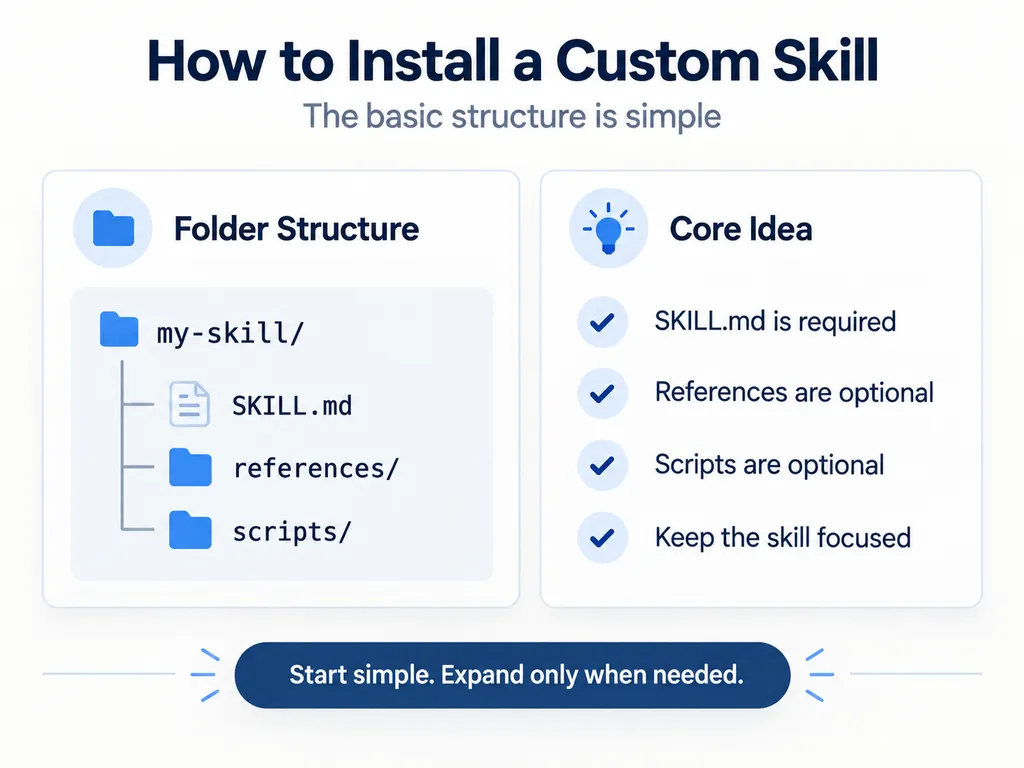
How to Install a Custom Claude Skill
Custom Skills can be packaged into a folder and uploaded to Claude.
At minimum, the folder needs a SKILL.md file.
A simple structure looks like this:
my-skill/
├── SKILL.md
├── references/
└── scripts/
Only SKILL.md is required.
The other files are optional.
According to Anthropic’s current documentation, you can add custom Skills through Claude’s Skills interface, upload the Skill package, and enable it for use. Interface labels can vary as Claude evolves, but the current Help Center describes the flow through Customize → Skills → Create skill → Upload a skill.
Once enabled, Claude can identify a relevant Skill based on its metadata and load its instructions when the task matches.
You can also mention the Skill by name when you specifically want Claude to use it.
What Is Inside a SKILL.md File?
At minimum, a Skill needs metadata and instructions.
A simplified example looks like this:
---
name: writing-weekly-reports
description: Creates concise weekly business reports from raw notes. Use when preparing weekly status updates.
---

# Weekly Report

## Instructions

1. Review the user's notes.
2. Identify wins, blockers, and priorities.
3. Use no more than three bullets per section.
4. Keep the tone factual and concise.
5. Flag missing information instead of inventing it.
The name helps identify the Skill.
The description is especially important because Claude uses it to decide when the Skill is relevant. Anthropic recommends describing both what the Skill does and when it should be used.
You do not need to know how to program to create a basic Skill.
For more advanced workflows, however, Skills can also contain executable scripts and supporting resources.
Be Careful With Third-Party Claude Skills
Do not blindly install every Skill you find online.
A Claude Skill can contain more than text instructions.
It may also contain scripts and other executable resources.
Before installing a third-party Skill, check:
- What is inside
SKILL.md? - Does it contain scripts?
- Does it install packages?
- Does it run shell commands?
- Does it access local files?
- Does it modify or delete files?
- Does it send information to an external service?
- Does it request unnecessary permissions?
- Is the source trustworthy?
- Has the package been modified from the original?
Anthropic explicitly recommends using Skills only from trusted sources and reviewing scripts because Skills can execute code and interact with tools.
For a simple prompt-writing Skill, there may be no reason for it to contain executable code at all.
Always inspect what you are installing.
Should You Use a Claude Skill or Just Write a Prompt?
Use a normal prompt when:
- The task is probably a one-time request.
- You are still experimenting.
- The workflow changes every time.
- The instructions are short.
Use a Skill when:
- You repeat the same instructions frequently.
- The workflow has several steps.
- Output needs to follow consistent rules.
- Several people need to use the same process.
- You rely on specific templates or reference documents.
- You are tired of copying the same large prompt into every conversation.
The purpose of Skills is not to eliminate prompting.
It is to stop repeatedly rebuilding prompts for workflows you have already figured out.
Frequently Asked Questions About Claude Skills
Are Claude Skills the same as prompts?
No.
A prompt is typically an instruction for the current conversation or task.
A Skill packages reusable instructions and resources that Claude can load when a relevant task appears.
Do I need coding skills to create Claude Skills?
No.
A simple Skill can consist entirely of Markdown instructions inside a SKILL.md file.
Scripts and code are optional and are mainly useful for more advanced workflows.
Does Claude automatically use Skills?
It can.
Claude uses the Skill’s metadata, especially its description, to determine whether the Skill matches the current task.
You can also explicitly mention a Skill when you want Claude to use it.
Can Claude Skills contain files and scripts?
Yes.
Skills can include reference materials, templates, scripts, and other supporting resources in addition to SKILL.md.
Are third-party Claude Skills safe?
Not automatically.
A malicious or poorly designed Skill can contain unsafe instructions or executable code.
Review third-party Skills before enabling them, especially if they can access files, tools, credentials, or external services.
What should my first Claude Skill be?
Start with something you already repeat.
Do not try to create a massive “do everything” Skill.
Choose one recurring task, such as:
- Writing weekly reports
- Editing blog posts
- Creating social media content
- Reviewing code
- Summarizing meetings
- Preparing client proposals
Build one Skill around that workflow.
Test it.
Then improve it.
Stop Rewriting the Same Instructions
Writing a good prompt is useful.
Writing the same good prompt 50 times is not.
Claude Skills give you a way to save workflows that already work and reuse them across future tasks.
Prompt Maker can help organize an idea.
Grill Me can expose missing requirements.
How To can turn the goal into a sequence.
Personal Voice and Anti-AI can improve your writing workflow.
Write a Skill can turn your repeated process into something reusable.
Hand Off can make long-running projects easier to continue.
You do not need all nine.
Start with the task you repeat most often.
If you keep giving Claude the same instructions, that is probably the first workflow you should turn into a Skill.