
GPT-6 Astra is the model OpenAI calls its most intelligent yet (it started rolling out in September 2026). But a smarter model still gives you a polite, padded, generic answer when you ask a vague question.
These cheat codes fix that. Each one is a short label plus a one-line instruction that changes how the AI thinks before it answers. Argue against you. Cut the fluff. Find the blind spot. Give you only the next three moves.
Came here from Instagram? This is the full list from the @solbizlab post (56 codes, actually, because we couldn’t stop at 50), plus a few things the carousel didn’t have room for: how to set the codes up once so you only type the short version, which ones to combine, and where they can mislead you.
First, the honest part: these are not official ChatGPT commands. Typing /truth on its own does nothing special. ChatGPT only knows what it means if you include the instruction, or teach it the codes once (setup below). They also aren’t tied to GPT-6 Astra. They work on any ChatGPT model, and on Claude and Gemini too.
What’s in This Guide
- The 6 cheat codes to learn first
- How to use the codes (two ways)
- Thinking & decision-making (12 codes)
- Writing & editing (12 codes)
- Analysis & research (10 codes)
- Execution & structure (10 codes)
- Problem-solving (6 codes)
- Self-awareness & productivity (6 codes)
- Combos that work well together
- A quick reality check
- FAQ
Tip: bookmark this page, or drop it into an “AI” bookmarks folder on your computer so you can find it the next time you open ChatGPT.
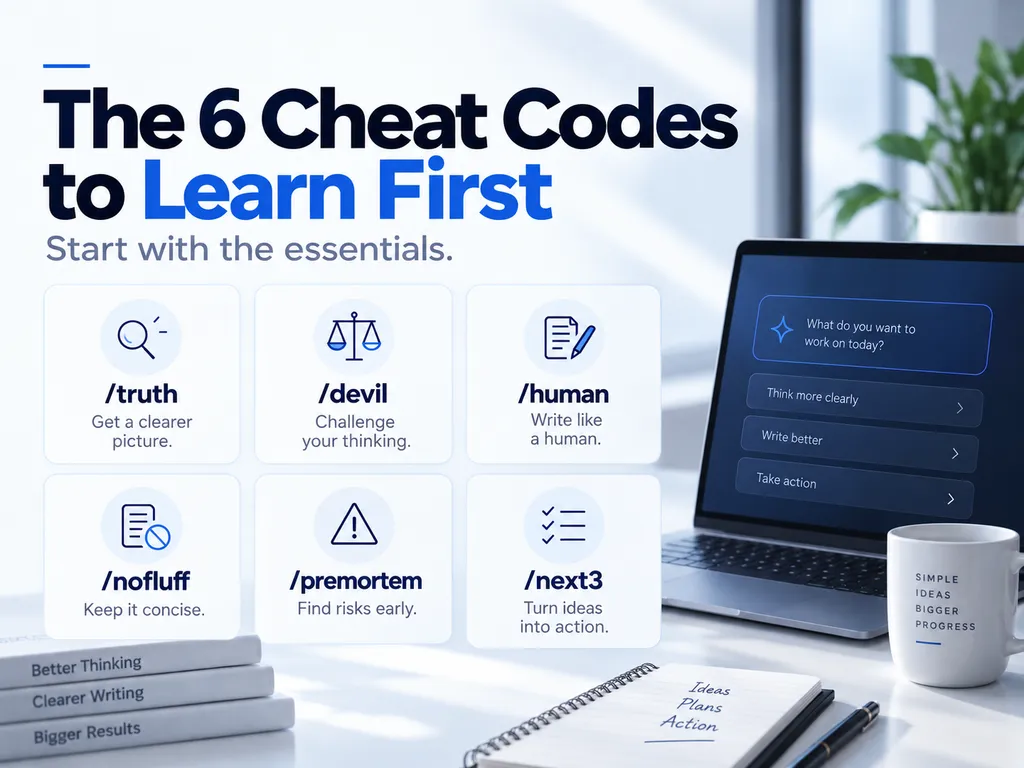
The 6 Cheat Codes to Learn First
If 56 feels like a lot, start with these six. They cover most of what goes wrong with AI answers: too agreeable, too long, too robotic, too optimistic, too vague.
/truth: get a real judgment, not a polite one/devil: attack your own idea before someone else does/human: strip out the AI feel/nofluff: cut the answer roughly in half/premortem: find out why a plan could fail/next3: get only your next three actions
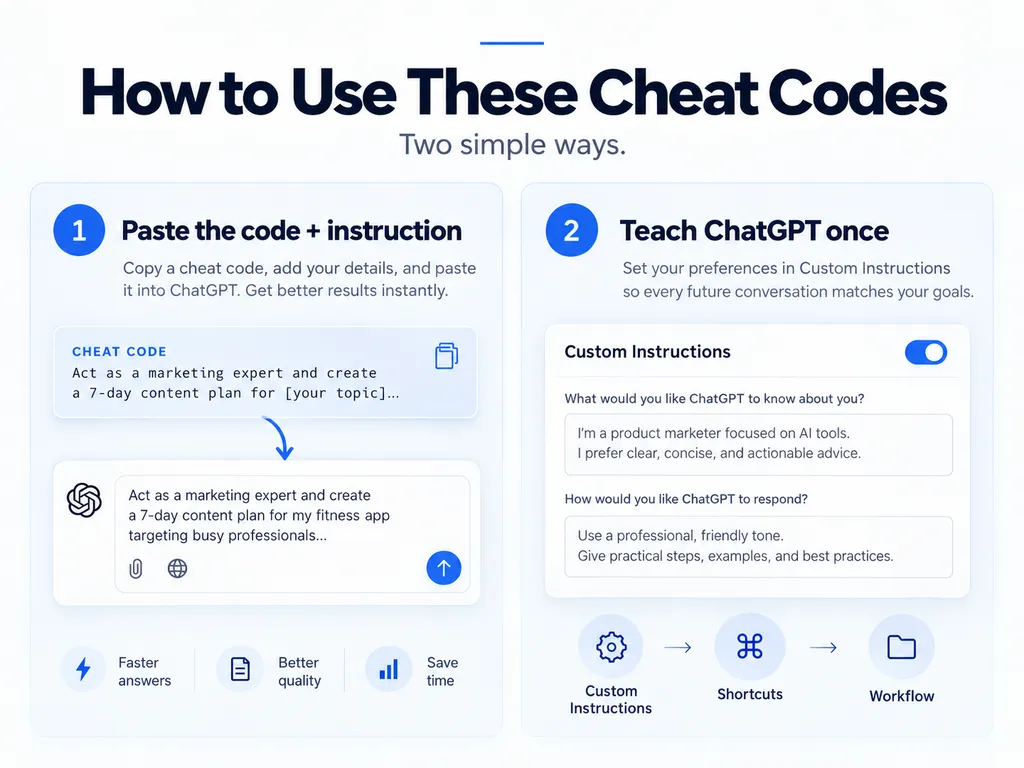
How to Use These Cheat Codes
Option 1: Paste the code and its instruction
Copy the full code and instruction, then add your own content underneath. For example:
/premortem
Assume this plan failed badly. Work backward and identify the most likely reasons why.

My plan: launch a $29 Notion template for freelancers next month, promoted only through Instagram Reels.
The code is just a label. The sentence after it does the real work.
Option 2: Teach ChatGPT your codes once
If you’d rather type /truth and nothing else, add your favorite codes to ChatGPT’s custom instructions. Open Settings, go to Personalization, and paste a block like this into the custom instructions field (menu names move around between app versions, so look for “custom instructions”):
When my message includes one of these codes, follow its instruction:
/truth = Don’t tell me what I want to hear. Give me the most accurate judgment you can, even if I may not like it.
/devil = Attack my idea from the strongest opposing point of view. Find the weaknesses I may be ignoring.
/human = Rewrite this so it sounds natural and human. Remove obvious AI phrasing, repetition, and overly polished language.
/nofluff = Cut the answer roughly in half. Remove introductions, repetition, filler, and unnecessary explanations.
/premortem = Assume this plan failed badly. Work backward and identify the most likely reasons why.
/next3 = Ignore everything that can wait. Give me only the next three actions I should take.
Custom instructions have a character limit, so don’t try to fit all 56. Pick the five to ten you use most. If you work in ChatGPT Projects, a project’s instructions are a good place to keep a set for one kind of work, like writing codes for a content project.
If a code opens a menu or switches a mode
Some ChatGPT apps now have built-in slash commands, and a few names overlap with this list. /plan, for example, is an official command that toggles plan mode. If typing a code triggers something you didn’t expect, put the code after your text instead of at the very start, or drop the slash and write it as plan:.
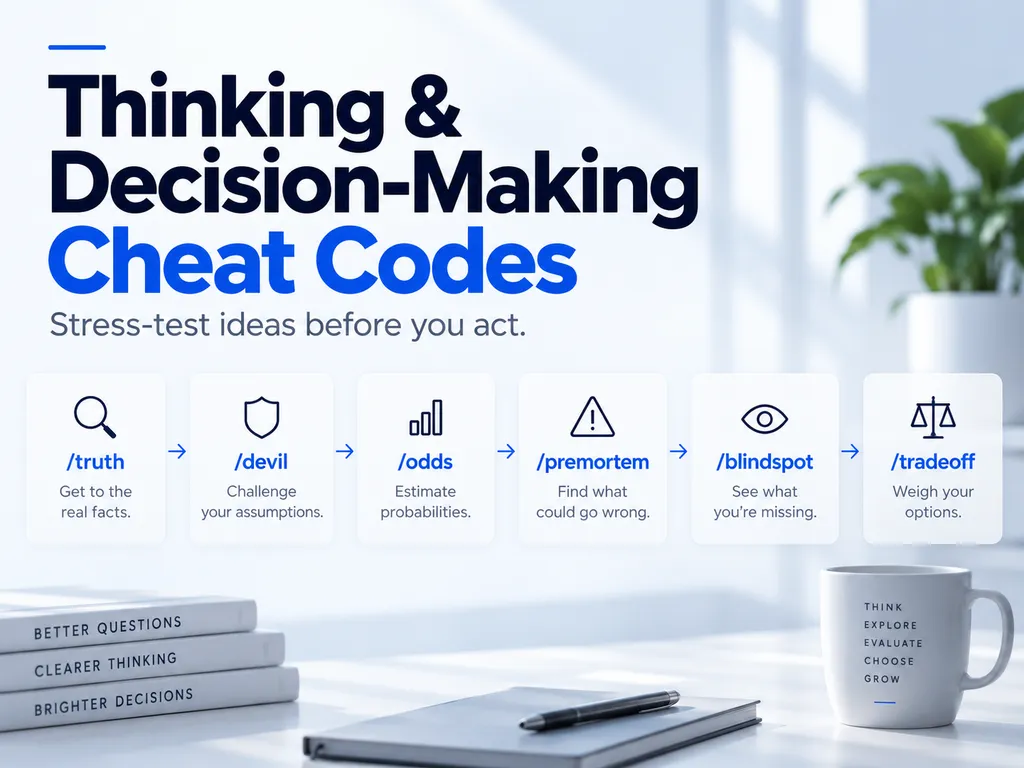
Thinking & Decision-Making Cheat Codes
Use these before you commit time or money to something.
/truth
Don’t tell me what I want to hear. Give me the most accurate judgment you can, even if I may not like it.
Best for: when you suspect you’re being flattered./devil
Attack my idea from the strongest opposing point of view. Find the weaknesses I may be ignoring.
Best for: ideas you’re already emotionally attached to./odds
Estimate the probability of success as a realistic range. State the assumptions and evidence behind the estimate.
Best for: reality-checking a goal or a launch./premortem
Assume this plan failed badly. Work backward and identify the most likely reasons why.
Best for: any plan with a deadline or a budget./blindspot
List the important variables, risks, or assumptions I may be overlooking.
Best for: decisions made fast or made alone./steelman
Take the opposing argument and make it as strong, reasonable, and convincing as possible.
Best for: understanding the people who disagree with you./tradeoff
Compare the options by showing what I gain, what I lose, and what risks I accept with each choice.
Best for: choosing between two good options./second-order
Analyze the second- and third-order consequences of this decision, not just the immediate result.
Best for: pricing changes, hiring, and new policies./simulate
Simulate optimistic, realistic, and pessimistic scenarios for this decision over the next 1–5 years.
Best for: career moves and long-term bets./cost
Estimate the money, time, people, tools, and opportunity cost required to execute this.
Best for: side projects that “should only take a weekend.”/reverse
Start from the result I want and work backward to identify what must happen first.
Best for: big goals with no obvious first step./constraint
Identify the single biggest constraint that is limiting the result right now.
Best for: when you’re busy but nothing is moving.
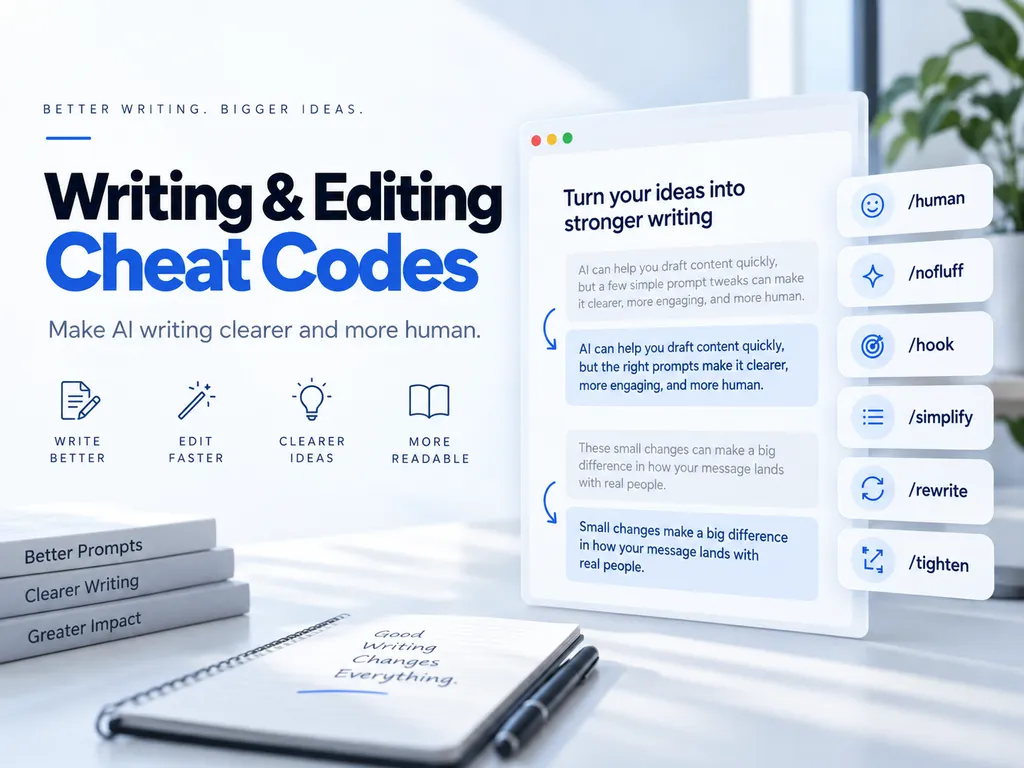
Writing & Editing Cheat Codes
Use these on drafts, emails, posts, and anything AI wrote for you.
/human
Rewrite this so it sounds natural and human. Remove obvious AI phrasing, repetition, and overly polished language.
Best for: AI drafts that read like AI drafts./nofluff
Cut the answer roughly in half. Remove introductions, repetition, filler, and unnecessary explanations.
Best for: long answers when you only need the core./hook
Give me 10 strong opening lines designed to make the reader continue.
Best for: blog intros, Reels, and newsletter openers./tone
Rewrite the entire text in this tone: [describe the tone].
Best for: turning one draft into versions for different audiences./cut
Reduce the length by about 30% without removing important meaning.
Best for: hitting a word or character limit./simplify
Rewrite this so a 12-year-old can understand it without losing important information.
Best for: explaining technical work to clients or family./punch
Make the sentences shorter, sharper, and easier to read. Improve rhythm without becoming exaggerated.
Best for: social captions and landing page copy./title
Give me 20 title ideas. For each title, briefly explain what makes someone want to click.
Best for: headlines, email subject lines, and video titles./cta
Create multiple calls to action for different levels of intensity: soft, natural, direct, and aggressive.
Best for: the end of a post, email, or sales page./rewrite
Rewrite this while preserving the original meaning, facts, and intent.
Best for: refreshing old content without changing the facts./tighten
Keep my wording and voice, but make every sentence more precise and efficient.
Best for: editing your own writing without losing your voice./native
Rewrite this so it sounds natural to a native English speaker, not like a translation.
Best for: non-native English writers and translated copy.
Analysis & Research Cheat Codes
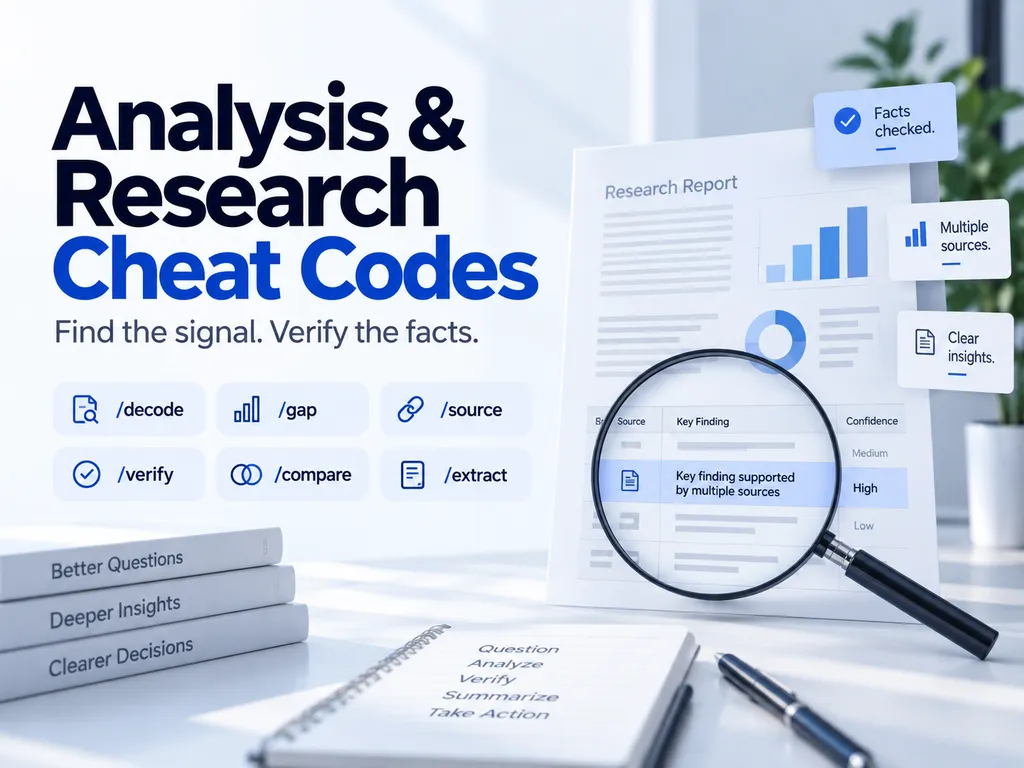
Use these when you’re reading something important, or checking something AI told you.
/decode
Explain this document in plain language. Highlight anything confusing, risky, expensive, or unusually restrictive.
Best for: contracts, terms of service, and policy documents./gap
Identify important information, sections, questions, or assumptions that are missing.
Best for: proposals, briefs, and business plans./redteam
Review this like a skeptical reviewer, investor, customer, editor, or competitor trying to reject it.
Best for: pitch decks and anything going to a decision-maker./source
Separate claims into strong evidence, weak evidence, opinion, assumption, and unsupported claim.
Best for: articles, reports, and confident-sounding claims./compare
Compare these options using the same criteria in a clear table.
Best for: tools, plans, vendors, and job offers./eli5
Explain this as if I am completely new to the topic. Define every important technical term.
Best for: learning a new field fast./verify
Check each factual claim. Mark anything uncertain, outdated, misleading, or requiring verification.
Best for: facts you plan to publish or act on./signal
Separate the useful information from noise. Show me only what materially changes the decision.
Best for: long reports and noisy news./extract
Extract the most useful facts, numbers, actions, names, dates, and decisions from this content.
Best for: meeting notes, transcripts, and long email threads./contradiction
Find statements that conflict with each other or cannot all be true at the same time.
Best for: legal text, specs, and your own long drafts.
Execution & Structure Cheat Codes
Use these to turn ideas into work you can actually start.
/step
Turn this into a short sequence of clear steps. Show the decision logic and evidence without unnecessary detail.
Best for: processes you need to explain or repeat./checklist
Convert this into an actionable checklist I can follow from start to finish.
Best for: launches, moves, and recurring tasks./table
Turn the answer into a clean comparison table.
Best for: any answer with more than three options./owner
Assign an owner, deadline, priority, and expected output to every task.
Best for: team projects and handoffs (or assigning deadlines to yourself)./mvp
Reduce this idea to the smallest version that can produce a useful real-world result.
Best for: product ideas that keep growing in scope./scope
Separate what should be done now, later, and not at all.
Best for: overloaded to-do lists./rewrite-brief
Rewrite my messy request into a clear, complete prompt before answering it.
Best for: messy, rambling requests, yours included./priority
Rank the tasks by impact, urgency, effort, and dependency.
Best for: Monday morning planning./next3
Ignore everything that can wait. Give me only the next three actions I should take.
Best for: when you feel stuck or overwhelmed./plan
Turn this goal into a practical execution plan with stages, dependencies, and measurable outputs.
Best for: goals with several moving parts. If it switches on plan mode instead, see the note above.
Problem-Solving Cheat Codes
Use these when something is broken and you’re tempted to guess.
/rootcause
Do not jump to a solution. Identify the most likely root causes first and show how to test each one.
Best for: problems that keep coming back./debug
Diagnose this problem systematically: symptoms, likely causes, tests, and fixes.
Best for: code, tech setups, and broken workflows./bottleneck
Find the part of the process that is slowing everything else down.
Best for: slow processes and stuck pipelines./failure
List the most likely ways this could fail and how to reduce each risk.
Best for: anything you’re about to launch./assumption
List every important assumption this plan depends on. Identify which assumptions should be tested first.
Best for: new business ideas and forecasts./alternative
Give me three substantially different ways to solve the same problem.
Best for: when your first solution feels forced.
Self-Awareness & Productivity Cheat Codes
Use these on yourself. Give the AI honest context, or the answers won’t mean much.
/shrink
Analyze why I keep making this choice or repeating this behavior. Reduce it to the smallest underlying causes.
Best for: habits you keep promising to change./pattern
Look at the information I provided and identify repeated patterns in my decisions, behavior, or priorities.
Best for: journal entries, past decisions, or a week of notes./rewire
Design a realistic daily routine that makes the desired behavior easier and the unwanted behavior harder.
Best for: building a habit without relying on willpower./block
Identify what is actually preventing me from starting or finishing this, not the excuse I am giving myself.
Best for: projects you keep putting off./mirror
Summarize how I appear to think, communicate, and make decisions based only on the information I provided.
Best for: getting an outside view of how you come across./friction
Find every unnecessary step, decision, or obstacle in this process and show me what can be removed.
Best for: daily routines and repetitive work.
Cheat Code Combos That Work Well Together
Codes get stronger in sequence. Send them one message at a time, in this order, so each step works on the result of the last one.
- Before a big decision:
/premortem→/blindspot→/next3 - Before you publish something:
/nofluff→/punch→/human - When someone sends you a document:
/decode→/gap→/redteam - When you’re stuck on a problem:
/rootcause→/alternative→/mvp - When an AI answer sounds too sure of itself:
/source→/verify
A Quick Reality Check
These codes make answers sharper. They don’t make them automatically correct.
/oddsand/simulategive you estimates, not facts. Use the numbers as a starting point for thinking, not as a forecast./verifyis only as good as what the AI can check. Turn on web search or ask for sources, then open a few of them yourself./truthand/devilneed context. “Is my business idea good?” gets a generic answer. Your price, audience, and budget get a real one.- The self-awareness codes are for everyday habits and decisions. For anything heavier, talk to someone you trust or a professional.
Frequently Asked Questions
Are these official ChatGPT commands?
No. They’re prompt shortcuts: a memorable label plus a plain-English instruction. A few names, like /plan, happen to overlap with built-in commands in some ChatGPT apps.
Do these cheat codes only work with GPT-6 Astra?
No. They’re plain-language instructions, so they work with any ChatGPT model and with other chatbots like Claude and Gemini. At launch, OpenAI made GPT-6 Astra available on paid ChatGPT plans (Plus, Pro, Business, and Enterprise) and through its API, so if you’re on a free plan, these codes still help with whatever model you have.
Do I have to type the full instruction every time?
Only if ChatGPT doesn’t know the code yet. Add your favorites to custom instructions (see Option 2 above), and the short code is usually enough.
Which cheat code should I try first?
Take a plan you’re working on this week and run /premortem on it. It’s the fastest way to see how differently the AI responds when you tell it how to think.
Can I make my own cheat codes?
Yes. Pick a short, memorable label and pair it with one specific instruction about what you want changed: length, tone, depth, format, or point of view. If you use it often, add it to your custom instructions.
Start With One Code Today
You don’t need a better prompt every time. You need a few reusable commands that make AI think and respond differently.
So don’t save this for later. Pick one code from this page and use it in your next chat.
Want more practical AI tips you can actually use? Follow @solbizlab on Instagram.